
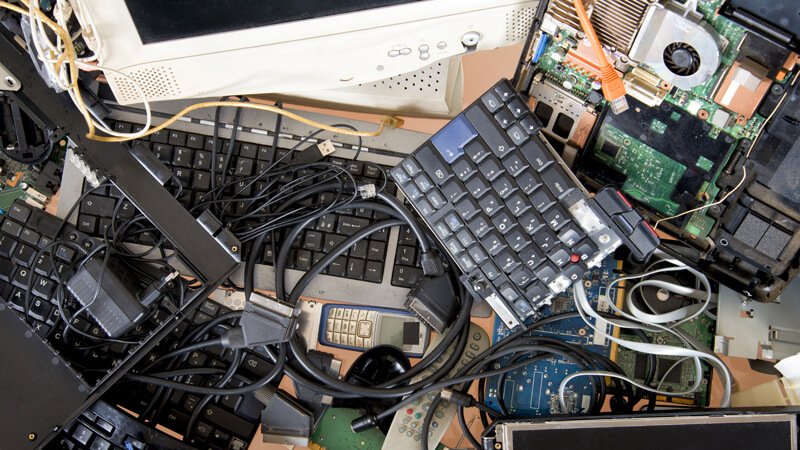
A business computer isn’t ready for the bin just because it has stopped working. Computer recycling separates computers, laptops, servers and peripherals for reuse, component recovery or recycling, while making data security part of disposal rather than an afterthought.
Businesses need to consider what happens to sensitive information as well as the equipment itself. Electrical waste can also create environmental and safety concerns when handled carelessly.
This guide explains how to prepare business IT equipment for disposal, how reuse and recycling work, and what to consider when choosing a responsible route. You’ll also learn how careful handling can help protect data and reduce the impact of electrical waste.
Key Takeaways
- Build data protection into disposal by identifying devices that hold business information and planning how their storage media will be handled.
- According to UK Government, subject to paragraphs (3), (4) and (5), these Regulations shall come into force on 1st January 2014.
- Keep electrical items out of general waste: hidden batteries can spark fires when crushed, so sort equipment for appropriate reuse, recovery or recycling.
- Separate computers, laptops, servers and peripherals by type, and plan how to handle associated project waste during a shop fit-out.
Accreditations for quality, environment and data security
For business computer recycling, assess what each accreditation covers, not just its badge. Check whether its scope includes collection, storage, data destruction and final disposal. Environmental management accreditation alone does not demonstrate secure hard-drive handling. Map every stage, from collection at your premises to processing at the facility.
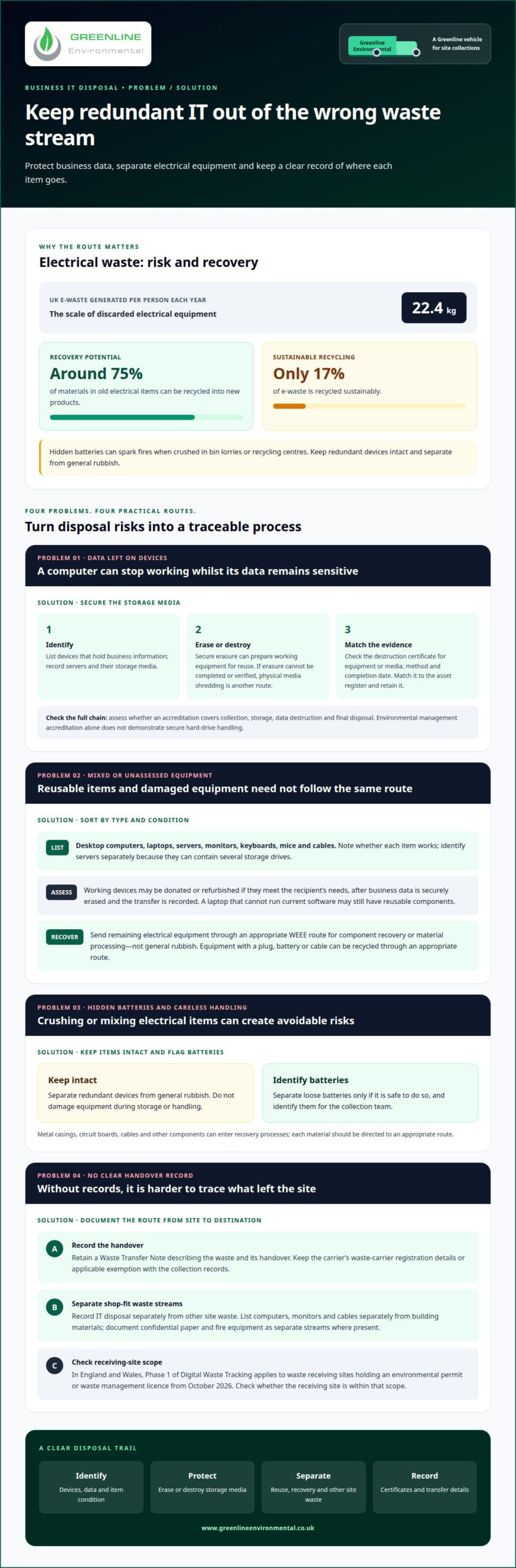
Before collection, list your devices and identify which contain business information. Ask how data is erased, how failed drives are handled and what evidence is provided after destruction. A data destruction certificate should identify the equipment or media processed, the destruction method and the completion date. Match those details against your asset register and retain the certificate with your disposal records.
Secure data erasure can prepare functioning devices for reuse. Where erasure cannot be completed or verified, physical media shredding provides a different route. Servers and data-centre equipment need the same discipline: record each unit, its storage media and its destination. According to UK Government, (2) Subject to paragraphs (3), (4) and (5) these Regulations shall come into force on 1st January 2014.
For paper records and other confidential material, confidential waste shredding keeps sensitive information separate from general waste. Store its documentation apart from hard-drive destruction certificates so each record matches the material handled.
During a shop-fit or office refurbishment, record IT disposal separately from other site waste. If the project also involves fire equipment, document that stream separately through fire extinguisher disposal. Clear records make it easier to trace what left the site and how each material was handled.
In England and Wales, Phase 1 of Digital Waste Tracking applies to waste receiving sites holding an environmental permit or waste management licence from October 2026. Check whether the receiving site falls within that scope.
Electrical waste and its environmental and health impacts
Dumping, damaging or carelessly handling electrical equipment creates environmental and safety risks. The route from collection through recovery matters.
Electrical Waste Impacts
The average person in the UK generates 22.4 kg of e-waste each year. Many discarded electronics contain materials that can be recovered, but careless disposal wastes those resources and can expose people to harmful substances. Hidden batteries create an additional fire risk: they can spark when crushed in bin lorries or recycling centres. Keep redundant devices intact and separate from general rubbish.
WEEE Recycling and Waste Recovery
WEEE recycling sorts electrical equipment for reuse, component recovery or material processing. Around 75% of materials in old electrical items can be recycled into new products, yet only 17% of e-waste is recycled sustainably. Computers and other equipment with a plug, battery or cable can be recycled through an appropriate route. After collection, items are assessed, reusable equipment is separated, and remaining materials are prepared for recovery. The WEEE waste handling process should keep those stages distinct.
Computer Disposal Rules
In the UK, send business computers and electrical waste through appropriate WEEE recovery, not general rubbish. For commercial disposal, retain a Waste Transfer Note describing the waste and its handover. Record the carrier’s waste-carrier registration details or applicable exemption with the collection records. These steps help trace equipment from your premises to its next destination.
Before collection, separate IT equipment from other project waste and note device types. For a shop fit-out, that could mean listing computers, monitors and cables separately from building materials. To plan the waste arrangements for a business project, request a quote.
Recycling computers, laptops, servers and peripherals
Business IT equipment can be assessed for reuse, refurbishment or material recovery. The appropriate computer recycling route depends on each device’s condition, data and components.
Equipment Accepted for Recycling
Collections can include desktop computers, laptops, servers, monitors, keyboards, mice and cables. List each item type and note whether it works, since reusable devices may follow a different route from damaged equipment. Identify servers separately because they can contain several storage drives. The UK has almost 30,000 drop-off points where people can fix, donate or recycle old electricals.
Donation and Refurbishment Options
Working old computers may be donated or refurbished if they meet the recipient’s needs. Before transfer, securely erase business data and record which devices leave your organisation. A laptop that cannot run current software may still contain reusable components. Retailers may collect old equipment when delivering a replacement, depending on their take-back arrangements.
Free Recycling and Collection Costs
Some drop-off routes accept electricals without a collection charge, but this does not mean a commercial collection is free. The cost depends on equipment quantity, item types, site access and handling needs, and is provided after a quote request. For a planned business computer recycling collection, request a quote for your IT equipment with an item list and site details.
Recyclable and Hazardous Parts
Metal casings, circuit boards, cables and other components can enter recovery processes. Batteries need careful handling because hidden batteries can spark fires when crushed in collection vehicles or recycling centres. Keep damaged equipment intact, separate loose batteries only if it is safe, and identify them for the collection team. This helps direct each component to an appropriate route.
Greenline Environmental: Construction Waste Removal
Greenline Environmental provides Construction Waste Removal for shopfitters managing fit-outs and refurbishments in Central London. If a project generates building waste alongside redundant IT equipment, plan each waste stream separately so computers follow an appropriate electrical-waste route.
Greenline Environmental can coordinate construction waste removal around the practical demands of a busy site. Services are available 24 hours a day, 7 days a week, supporting businesses that need to plan work around site access and operating schedules. Confidential Waste Shredding can also handle confidential paper records, keeping that material distinct from electronic devices and their storage media.
For organised construction waste removal during a shop-fit project, contact Greenline Environmental or visit www.greenlineenvironmental.co.uk.
Plan your next equipment clearance
Include IT disposal in your next office move, refurbishment or technology refresh. Assign someone to coordinate equipment records, collection access and the separation of electrical items from other materials. If your hardware refresh also involves shipping replacement equipment internationally, working with importer of record services can simplify customs compliance while keeping local asset handling secure and organised. A clear sequence helps your team prevent redundant devices from being mixed into general site waste.
For the wider clearance, Greenline Environmental offers comprehensive commercial waste and recycling services. These solutions support businesses managing equipment and other workplace waste during a project. Keep confidential information and electrical equipment on their appropriate handling routes, then coordinate the remaining clearance with your site schedule.
Take the next step by outlining the equipment and clearance needs for your premises. Request a quote from Greenline Environmental to discuss the waste-management requirements for your project. With a practical plan in place, your team can move forward with greater clarity.
Frequently Asked Questions
Where can I recycle a computer in the UK?
Use a designated electrical-waste collection point or a business collection route that accepts IT equipment. The UK has nearly 30,000 drop-off points for repairing, donating or recycling electricals. For an organisation in Central London, consider access, loading arrangements and whether the route accepts business equipment, not just household items. Keep an inventory of the devices handed over.
How do I find a local computer recycling centre?
Search by postcode through your local council’s recycling information, then look for a centre that accepts electrical equipment. Check its accepted items and business-waste arrangements before travelling, particularly if you have servers, monitors or several laptops. In EC1, EC2, WC1 or SE1, also factor in vehicle access and loading restrictions when planning a business collection.
How should I prepare a computer for recycling and securely erase my data?
Back up required files, then ask your IT team to follow the organisation’s approved data-erasure process and verify the result. Record each device’s asset number and remove it from active accounts and management systems. If a drive cannot be erased or its erasure verified, arrange secure physical destruction and retain the record. Keep the equipment intact for collection.